Members, not tabs
Every occupation is a member with its own main thread. When several members work on one job, that is a project — and its lead member is who hears you unless you @ someone.
v0.8.0 · macOS Apple Silicon
Hire occupations as members, then point them at your own folders and sites.
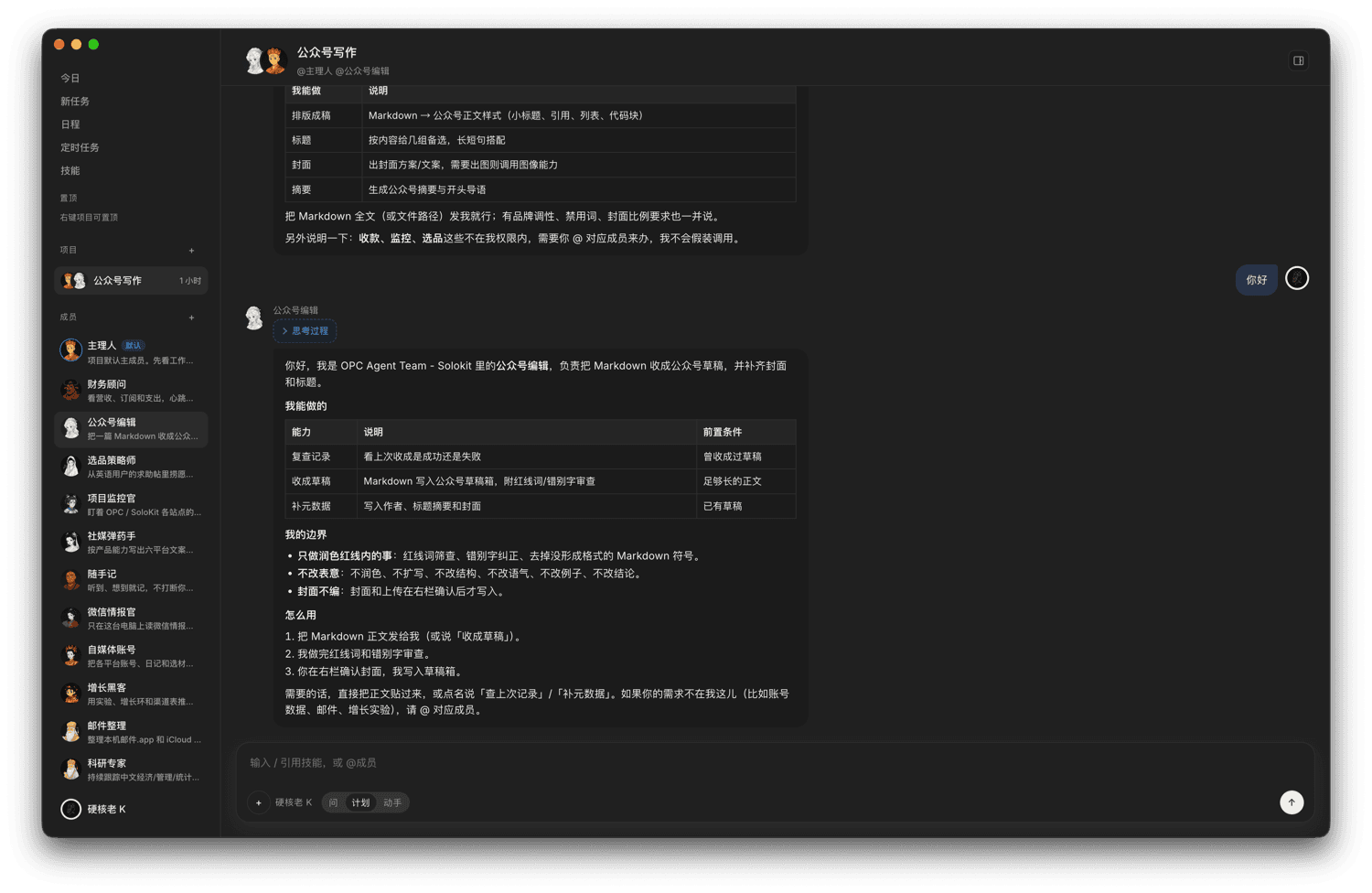
You are the developer and the company. This is where a one-person company keeps its members, todos, projects and files — on your own machine.
Every occupation is a member with its own main thread. When several members work on one job, that is a project — and its lead member is who hears you unless you @ someone.
Host reads and edits your workspace, runs commands, and plans before it acts. Social ammo turns your product catalog into multi-platform copy. Two is the shipped default, not the limit: a member is an occupation backed by a module, so you add your own without touching the kernel.
Business data lives in local userData. There is no first-party backend holding it for you.
Only macOS (Apple Silicon) builds are available. Windows and Linux are not available yet.
Drag the app into Applications.
Unzip to get the same macOS app, handy for copying or archiving.
If macOS blocks the first launch
This build is signed and notarized by Apple, so macOS opens it without any extra step. If the first launch is still blocked (for example while offline), run the command below and open the app again.
xattr -cr "/Applications/OPC-Fellows.app"About the app name and upgrades The installed app is OPC-Fellows. Upgrading from v0.7.3: that build was named “OPC Agent Team - Solokit”, so this release starts with a fresh workspace — the old data directory stays on disk and is not read.
latest-mac.yml — latest-mac.yml is this release’s macOS update manifest.
Electron is a thin shell. Chat and tools run on DeepSeek Harness; the roster, todos and the module registry hang on the same tree.
A module declares the capabilities it needs in its manifest.
Calls outside that grant are rejected by the kernel.
High-risk permissions are confirmed when the module is installed.
These are the identities that ship in the open-source tree, straight from the project README — nothing added or removed. The roster itself is data, not a fixed list: a member is a module plus a roster entry.
Reads and edits your workspace, runs commands, plans then acts — the default lead on every project
Multi-platform copy, built from the product catalog you register in the app
An occupation is a module plus a roster entry. Nothing in the kernel is per-occupation, so a member you write gets the same main thread, projects, todos and capability checks as the two above
Permissions follow a capability allowlist. Your work, files and secrets stay on this machine.
Business data stays in local userData. There is no first-party backend.
Third-party modules go through a capability allowlist. High-risk permissions are confirmed at install time.
The published installer is macOS (Apple Silicon) only. Windows and Linux are not available yet.
The build is signed and notarized by Apple. If the first launch is still blocked (for example while offline), run xattr -cr "/Applications/OPC-Fellows.app" in Terminal, then open the app.
Business data stays in local userData. There is no first-party backend.
Yes. The project is MIT-licensed, which allows commercial use. The LICENSE file in the repo is the source of truth.
See CONTRIBUTING in the public repo. Modules declare capabilities in a manifest; the kernel rejects out-of-grant calls; high-risk permissions are confirmed at install time. Read CONTRIBUTING
Yes. The roster is data, and the two shipped members are the default set rather than a limit. Write a module that declares its capabilities, add its roster entry, and it gets a main thread like any other member — no kernel changes.